


GitMind
GitMind: The Ultimate AI-Powered Commit Message Generator (v4.5.4)
A few months after releasing the first version of the GitMind extension I developed earlier this year, it matured enough to offer a Pro plan with advanced features. By November, installations exceeded 1800, and several Pro users subscribed to the Lifetime plan! Due to a technical issue, I had to republish the extension, resetting the stats. Surprisingly, installations are increasing again, and I hope it will surpass 10,000 by next year!1
Rich GUI Experience
GitMind utilizes a rich graphical interface to make the configuration and user interaction convenient, even for beginners. Instead of memorizing config files, you can manage providers, commit format, and style preferences directly inside VS Code.1
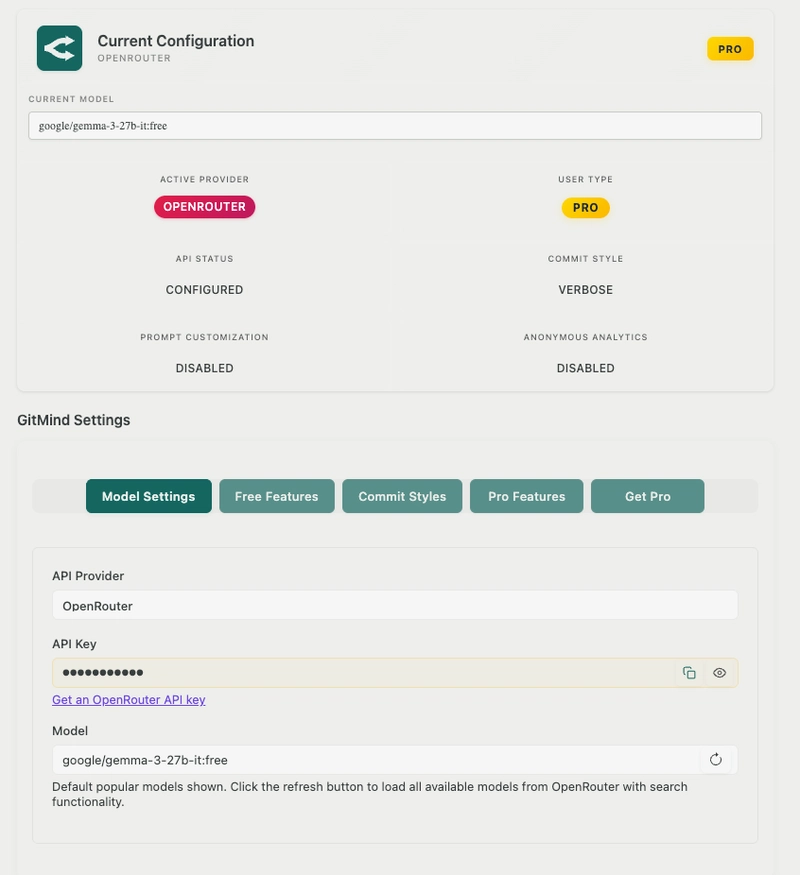
Screenshot: GitMind GUI settings panel in VS Code (configuration and workflow controls in one place).
Why GitMind Stands Out
I now see this extension as possibly the most powerful and comprehensive among popular IDEs like Visual Studio Code (VSCode), Windsurf, and Cursor. This extension supports the most well-known API services for AI models. For Pro users, it offers instant model updates from the provider database and a Custom API server as premium features.1
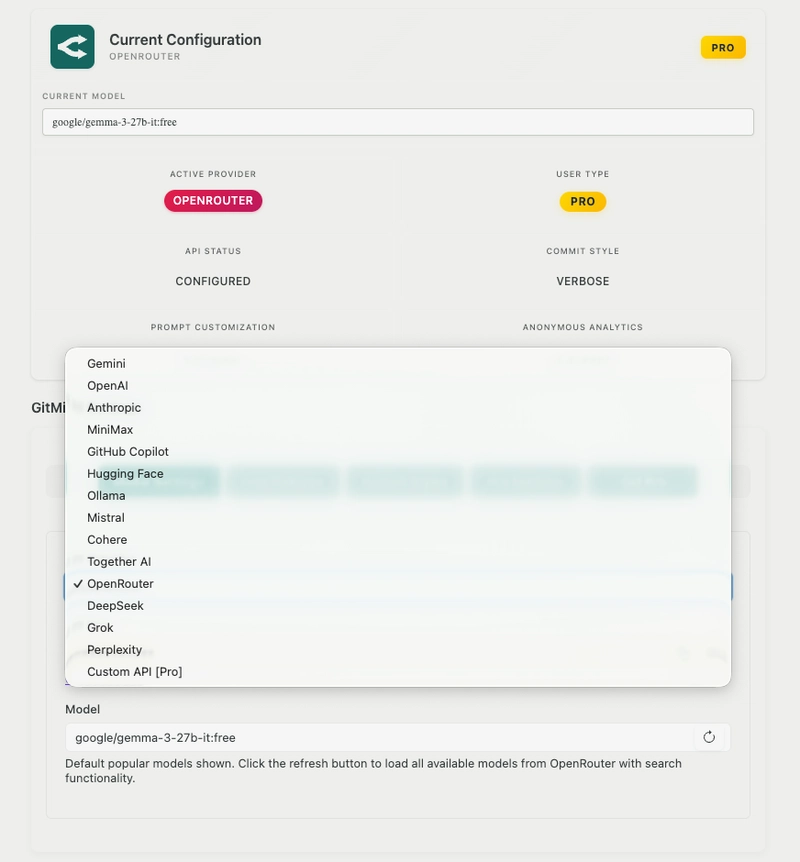
Screenshot: Provider catalog in v4.5.4—quickly switch between providers without changing your workflow.
Professional Features That Matter
Free Features
| Feature | Description |
|---|---|
| Commit Formats | Commits can be created in either Single-line or Verbose format, with the latter offering more details and clarity through multiline styling. Unlike other commit tools, such as GitHub Copilot and most IDE features, this option cannot be controlled there. However, it is freely available to users via this extension.1 |
| Prompt Customization | Users can add a custom message to make commit generation more tailored to their needs using the Prompt Customization feature. Also, the last prompt can be saved for future use.1 |
| Emoji Semantic | Emoji-style visual communication and semantic interpretation to add more meaning, customizable in the settings.1 |
| Commit Styles | Over 10 commit styles available; Basic and Conventional Commits are free (more styles require Pro).1 |
| Reference Guide | A comprehensive reference guide is provided to help users understand the commit structure and find the options that best suit their needs.1 |
Free Commit Message Controls
GitMind lets you control how the commit is written (Single-line vs Verbose) and refine the generation with your own custom prompt—without relying on a single IDE default behavior.1
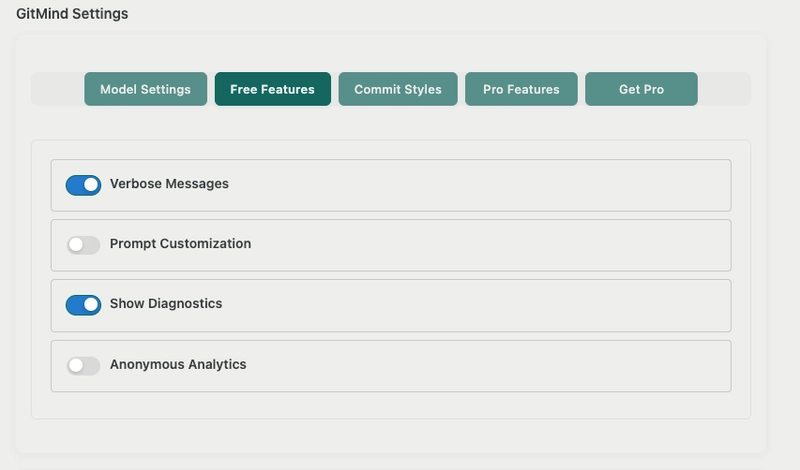
Screenshot: Free commit controls (format selection + prompt customization).
Emoji Enhancement
For teams that like fast visual scanning, GitMind can enhance commits with emoji-style semantics—making intent easier to spot in history while still keeping structure consistent.1
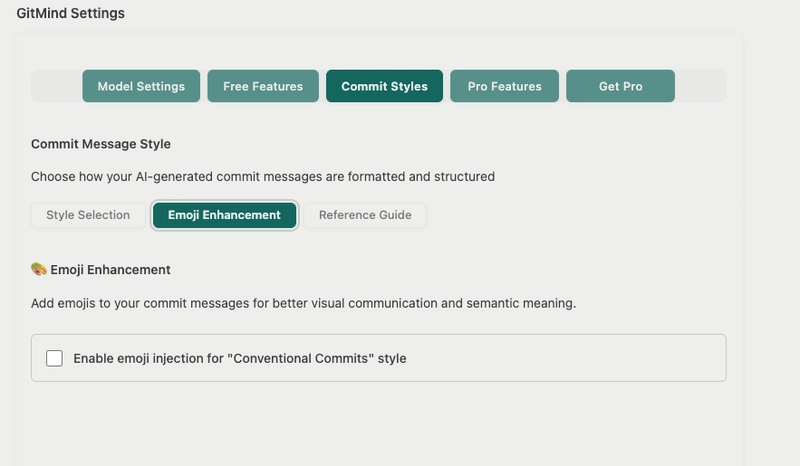
Screenshot: Emoji enhancement options for more semantic commit messages.
Commit Styles (Basic & Conventional Free)
The extension includes over 10 commit styles, with Basic and Conventional Commits available for everyone. Styles beyond that are available through the Pro subscription.1

Screenshot: Commit style selection list (including Basic and Conventional).
Built-in Reference Guide
To help users write better commits and choose the right structure, GitMind includes a built-in reference book that explains the commit style format and its options.1
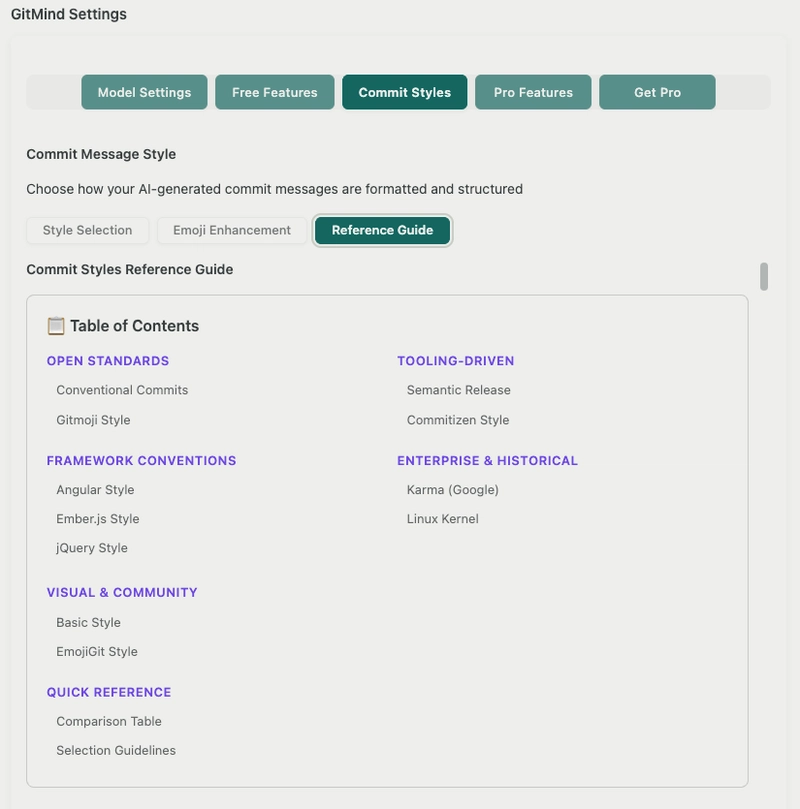
Screenshot: Built-in commit style reference guide for quick learning and consistency.
Pro Features
| Feature | Details |
|---|---|
| 1. API Key Encryption | To safeguard API keys stored in VSCode, this feature uses a premium encryption method to prevent unauthorized access.1 |
| 2. Large Diff Handling | This feature is unique to this extension, preventing commit failures during very verbose or large code changes. Without it, code changes can exceed model context windows, leading to failures or low-quality commit messages because not all code is captured.1 |
| 3. Advanced Commit Message Controllers | Pro users can set limits on the message body by adjusting the Maximum Body Lines and Maximum Summary Length according to their needs.1 |
| 4. Learn from Commit History | Generates commit summary statistics plus a comprehensive analysis and guidelines based on repository history—especially useful for teams and companies seeking to standardize commit formats.1 |
| 5. Changelog Generation | Scans release tags and can update an existing changelog or create a new one, adhering to Keep a Changelog and Semantic Versioning guidelines.1 |
API Key Encryption (Pro)
API keys stored in VS Code are sensitive. Pro adds a premium encryption method to reduce the risk of unauthorized access to your provider credentials.1
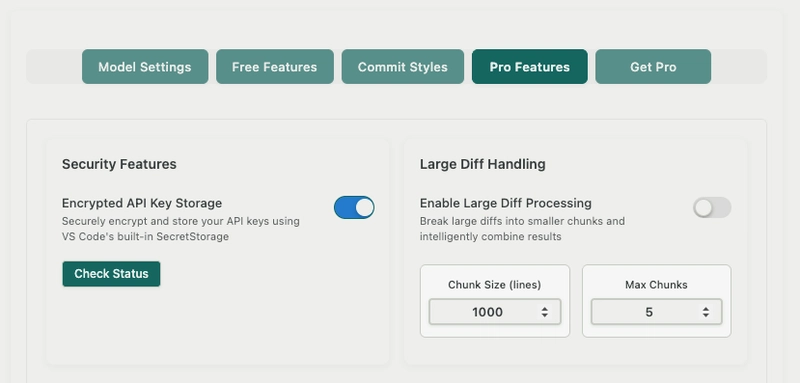
Screenshot: API Key Encryption settings for Pro users.
Large Diff Handling (Pro)
Large refactors and verbose changes can exceed context windows and break commit generation. This Pro feature is designed to prevent those failures and keep message quality high by ensuring more complete change capture.1
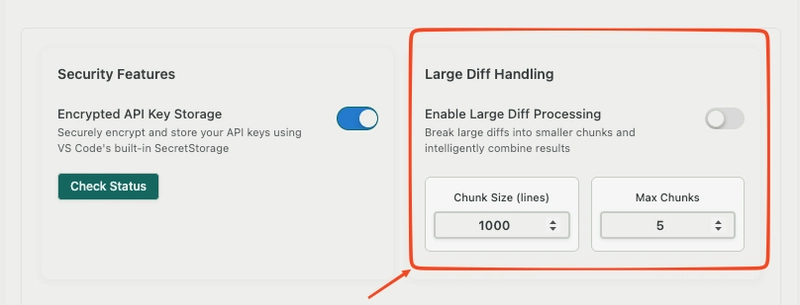
Screenshot: Large Diff Handling controls for robust commit generation on big changes.
Advanced Commit Message Controllers (Pro)
When teams need strict commit policies, Pro lets you constrain output—such as Maximum Summary Length and Maximum Body Lines—so generated commits match internal conventions.1
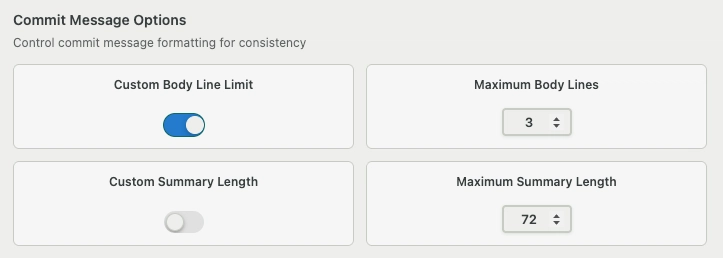
Screenshot: Advanced commit controllers (summary/body constraints).
Commit History Analyzer (Pro)
Instead of guessing what “good” looks like, GitMind can learn from your repository history, generate statistics, and provide guidance to improve future commit message generation—useful for teams and standardization.1
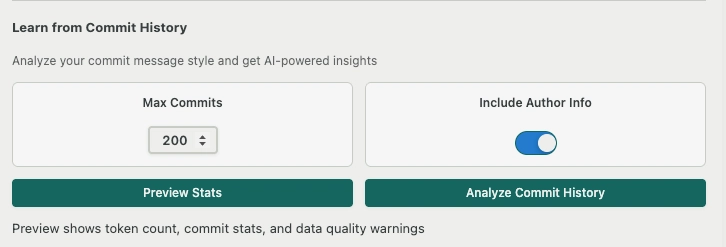
Screenshot: Commit History Analyzer entry point (Pro tab).
History Statistics Output (Pro)
The analyzer can produce a high-level summary of patterns in your existing commit history, helping identify inconsistencies and opportunities for clearer conventions.1
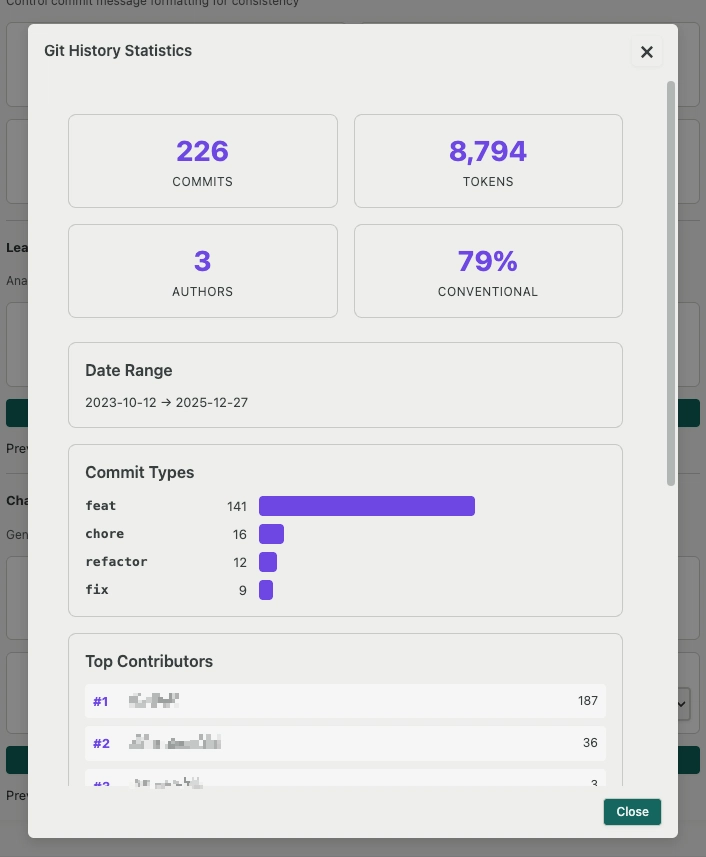
Screenshot: Example commit history statistics summary generated from a repository.
History Analysis Report (Pro)
Beyond statistics, GitMind can generate a more comprehensive analysis report and guidelines for improving commit quality—especially valuable when aligning a team on a consistent policy.1
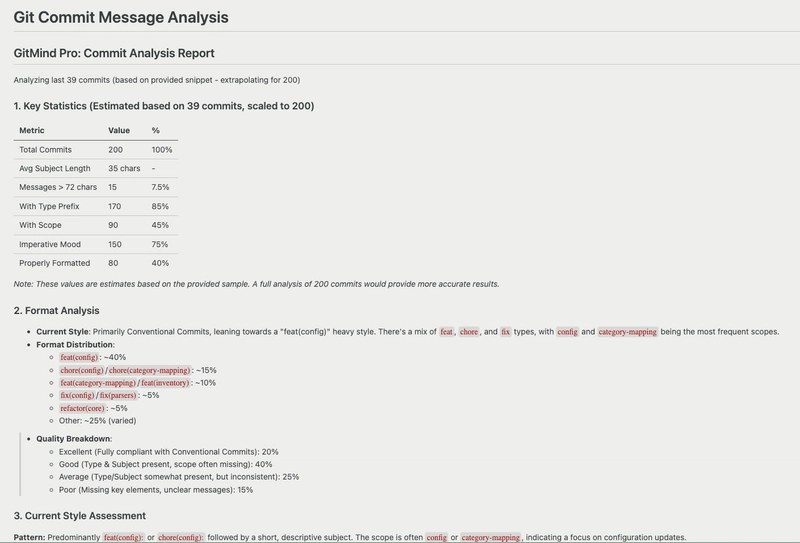
Screenshot: Example detailed commit history analysis report with guidelines.
Changelog Generation (Pro)
GitMind can generate changelogs with no manual effort by scanning release tags and updating/creating changelog entries in line with Keep a Changelog and Semantic Versioning guidelines.1
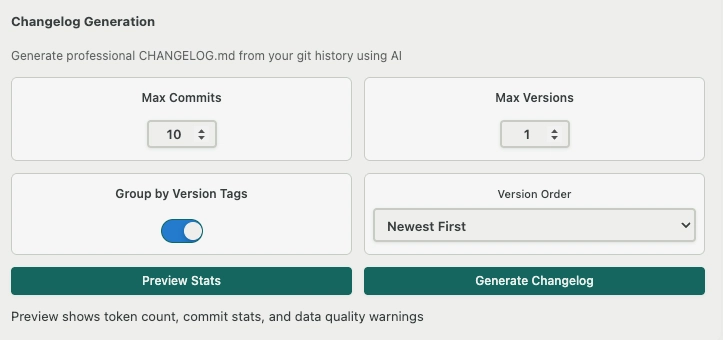
Screenshot: Changelog generation workflow (Pro) based on tags and semantic grouping.
All Supported Providers
| Provider | Featured Models | Context | API Setup |
|---|---|---|---|
| GitHub Copilot | gpt-4o, claude-3.5-sonnet, o3 | 128k | VS Code Copilot |
| Google Gemini | 2.5-flash, 2.5-pro, 2.0-flash | 2M | AI Studio |
| Grok (X.ai) | grok-3, grok-3-fast, grok-3-mini | 128k | X.ai Console |
| DeepSeek | reasoner, chat | 128k | DeepSeek Platform |
| Perplexity | sonar-pro, sonar-reasoning, sonar | 127k | Perplexity Settings |
| Mistral AI | large-latest, medium, small | 128k | Mistral Console |
| Ollama | deepseek-r1, llama3.3, phi4, qwen3 | 128k | Ollama Download |
| OpenAI | gpt-4o, gpt-4.1, o3, o4-mini | 128k | OpenAI Platform |
| Anthropic | claude-opus-4, sonnet-4, haiku | 200k | Anthropic Console |
| MiniMax | MiniMax-M2, MiniMax-M2-Stable | 128k | MiniMax Platform |
| Together AI | Llama-3.3-70B, Mixtral-8x7B | 128k | Together Platform |
| Hugging Face | Mistral-7B, Zephyr-7B, OpenHermes | 32k | HF Token |
| Cohere | command-r, command-a-03-2025 | 128k | Cohere Dashboard |
| OpenRouter | Multiple providers & models | Varies | OpenRouter Keys |
See the Difference
There is an exclusive feature tab “Pro Features” for Pro users that provides the most advanced Git Commit generation options in the market.1
Why Choose GitMind Over Alternatives?
- vs GitHub Copilot: Verbose multiline unlike there; Pro advanced options.1
- vs Cursor/Windsurf: Most powerful/comprehensive with Pro tab features.1
- vs Basic Tools: Rich GUI, history analysis, changelog—no effort needed.1
- Privacy First: Premium encryption for API keys.1
- Lifetime Pro: Costs about as much as a cup of coffee—most powerful commit generator in IDE.1
Real Examples
Verbose (multi-line):
feat: example verbose commit

- More details and clarity
- Multiline styling
Single-line:
feat: single-line example
Get Started Today
Free & Pro Download
Latest v4.5.4. Choose based on IDE framework. Setup convenient even for beginners.
Download Now:
VSCode Marketplace
OpenVSX Marketplace
Learn More
Pro lifetime gives fastest/most reliable project development.
Guides:
GitMind Tutorial on Medium
Dev.to: How to write better Git commit messages with AI (GitMind)
References
- GitMind v4.5.4 Overview & Pro Features.
- VSCode Marketplace: GitMind.
Description
This project addresses the challenge of automating Git commit message generation, bridging the gap between manual commit writing and AI-powered automation, and simplifying the complex process of creating meaningful, conventional commit messages.
Language: TypeScript
Framework: VS Code Extension API with 13+ AI providers (OpenAI, Claude, Gemini, Mistral, Ollama, etc.) and 50+ models
Features: Advanced diff analysis (staged/unstaged, binary handling), single/verbose formats, prompt customization, emoji semantics, 10+ commit styles, Pro exclusives: API encryption, large diff handling, commit history analysis, changelog generation (Keep a Changelog compliant)
Environment: VS Code (local GPU/CPU, offline Ollama support)
Source Code: GitHub
License: MIT